


Soren VPN
4.5244.00 Reviews
App Specs
- Version
- 2.3
- Updated On
- License
- Free
- Downloads
- 1,000,000+
- Developer
- Wemaagroup
- Categories
- Tools
- Platform
- Android
Screenshots
 Analysis by AppCompare
When I reach for a VPN, it is usually because I want one simple thing: a protected connection without turning an ordinary task into a settings project. Public Wi-Fi, a login page, and a video I want to watch can all make me wonder whether I should pause and configure something first. Soren VPN is aimed at removing that extra step with a straightforward connect-and-browse approach. My main test for a tool like this is practical: does it save time, stay out of the way, and behave consistently enough that I can rely on it?
That simplicity is appealing, but it is worth keeping expectations grounded. A VPN can change how your internet connection is routed and add a layer of protection; it does not make every website trustworthy or replace careful account security. I would treat Soren as a convenient part of a sensible online routine, not as a guarantee that nothing can go wrong. That distinction matters most when you are handling sensitive accounts or deciding whether a service is suitable for work.
A quick route from install to connection
Soren VPN is a free tools app from Wemaagroup, and its first-use flow is built around getting connected rather than asking you to learn a complicated dashboard. The app has a 4.5 average from around 101,000 ratings and more than a million installs. It is rated for everyone, with version 2.3 available for Android 7.0 and later. Those details make it easy to see why a newcomer might consider trying it, but the everyday experience is more important than popularity: I want to know whether I can open the app, understand the main action, and get on with what I was doing.
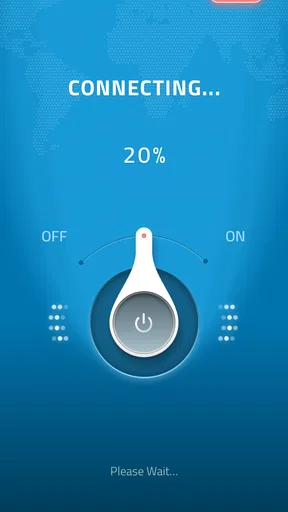
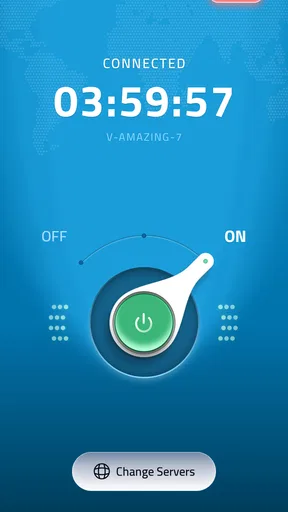
In a first setup, I would begin with a low-stakes task rather than immediately relying on the VPN for banking or a work session. Open the app, use its connection control, and wait until it shows that the connection is active before opening the browser or another app. Then try a familiar page or service. This small check helps separate a VPN connection problem from a website or Wi-Fi problem, and it gives you a baseline for how your usual connection feels when routed through the app.
First Impressions Matter
Right off the bat, the download and installation process was a breeze. Available on both Android and iOS, you can find it easily in your app store. No hoops to jump through, just a quick install, and you’re ready to go. The interface is clean and intuitive, which is a huge plus in my book. I mean, who wants to spend time figuring out how to use an app when you could be watching cat videos instead?
Getting Started
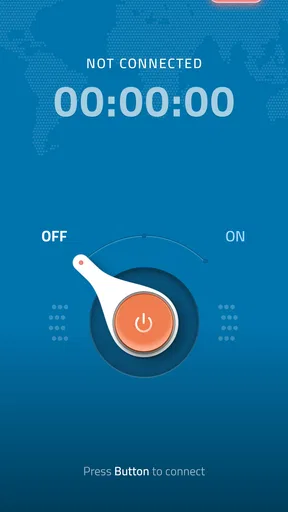
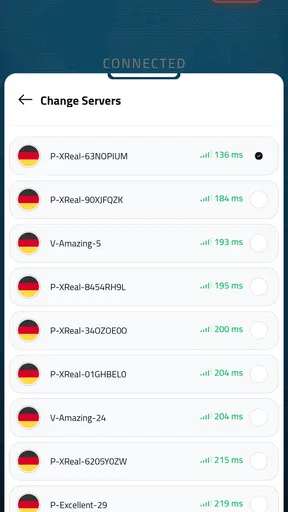
Once you open the app, you’re greeted with a simple home screen. There’s a prominent connect button, and tapping it connects you to the fastest server available. The app offers a choice of servers from various countries, which is perfect if you’re looking to access region-specific content. Switching servers is as easy as pie – just tap on the location and you’re there.
One thing that caught my eye was the speed. Usually, VPNs tend to slow down your connection, but with Soren, it was quite the opposite. The connection was stable, and streaming videos was smooth. I was able to binge-watch my favorite shows without any buffering. Honestly, that’s all I want from a VPN – fast and reliable connections.
Worth Reading Before You Choose

EA SPORTS FC Mobile 26 Is a Bigger Football Game, but It Takes Time

Flipboard Shows What News Apps Must Do Beyond the Feed

Switching to Android Auto Means Rethinking Your Driving Routine

Google Calendar Makes a Crowded Week Easier to Manage

Ludo King Makes the Most of the Minutes Between Plans

Baby Panda World Brings Quick Play to Modern Phones, but Its Game Library Feels Busy
Security Features
Now, let’s talk about security. After all, that’s why you’d use a VPN in the first place, right? Soren VPN boasts military-grade encryption, which is a fancy way of saying your data is safe from prying eyes. There’s an automatic kill switch that disconnects you from the internet if the VPN connection drops. It’s like having a safety net, giving you peace of mind as you browse.
Another neat feature is the no-logs policy. This means they don’t keep track of what you’re doing online. Your data is yours and yours alone. In a world where privacy is often compromised, this is a big win.
Everyday situations where it helps
A realistic use case is a short stop at a café between errands. You connect to the café’s Wi-Fi to check a travel confirmation, answer a message, or look up directions. A VPN can add a layer of protection to that connection, and a one-tap routine is easier to remember than a multi-step setup. I would still avoid treating public Wi-Fi as private: use secure websites, keep your device updated, and do not dismiss browser warnings just because the VPN is on.
At home, the value can be different. You might want to compare how a familiar streaming service behaves through another server location, or simply keep your browsing traffic routed through the VPN while using shared Wi-Fi. The trade-off is that some websites may ask for extra verification or behave differently when they see traffic coming from a VPN. If that happens, switching back to your usual connection for that particular task may be quicker than repeatedly changing locations.
For travel planning, one useful habit is to connect before opening the app or website you need, rather than changing servers halfway through a form or checkout. A location change can interrupt a session or trigger a security check. I would also keep a note of which connection worked for a service instead of assuming the same server will always be the best choice. This is a small workflow improvement, not a guarantee that every region-restricted page will become available.
What the simple interface saves—and what it cannot decide
The biggest practical advantage of a minimal VPN screen is fewer choices at the moment you need protection. If you are new to VPNs, starting with the automatic connection is sensible; it avoids guessing which location is fastest for your current network. Manual server selection is more useful when you have a clear reason to try another location, such as troubleshooting a page that is not loading as expected. I would change one thing at a time, then retry the same page, so it is easier to tell whether the change helped.
That convenience also means the user still has to make a few important decisions. Before relying on any VPN for confidential work, I would read its current privacy terms and understand what its privacy claims mean in practice. A “no-logs” statement is relevant, but it is not a substitute for knowing how an app handles account information and connection data. For particularly sensitive work, an organization-approved VPN is usually the better choice because it can be configured and supported for that specific environment.
Speed is another area where a quick first impression should not become a promise. Performance can vary with the Wi-Fi or mobile connection, the distance to a chosen server, and the service being accessed. If a video suddenly pauses or a page takes longer than usual, I would first check whether the underlying network is healthy, then try another available location or disconnect briefly to compare. That simple diagnosis can save time and avoid blaming the VPN for a weak café signal or a busy home network.
How it compares with other ways to connect
Compared with browsing without a VPN, Soren adds an extra privacy layer to the connection, but it may also add latency or prompt websites to verify your identity. Compared with a more advanced VPN app, its approachable connect-first design is easier for casual use, while users who want detailed controls, extensive configuration, or a particular workplace setup may prefer a service built around those needs. I would not choose a VPN solely because it has a location list: the right fit depends on whether you value quick everyday use or need more control and clearer assurance for a specific job.
It is also worth separating VPN use from other privacy tools. A VPN does not stop you from signing into an account that tracks activity, and it does not block every scam, malicious download, or tracking method. If your main concern is avoiding phishing, a password manager, careful link checking, and account security practices matter more. If your goal is to access a company network, use the approved company tool rather than assuming a consumer VPN can replace it.
User Experience
Let’s face it, nobody wants to deal with a clunky app. Thankfully, Soren VPN delivers a seamless user experience. The app is lightweight and doesn’t hog your device’s resources. Plus, it runs quietly in the background, so you won’t even notice it's there.
If you ever run into trouble (which, let’s be real, happens to the best of us), their customer support is top-notch. Available 24/7, you can reach out via chat or email. I tested it out, and I was pleasantly surprised by how swiftly they responded. It’s like having a tech-savvy buddy on speed dial.
Who should try it, and who should look elsewhere
I can see Soren suiting someone who wants a simple tool for routine browsing, occasional public Wi-Fi use, and trying a different server location without studying networking settings. The free price makes it approachable for a first try, and the uncomplicated flow is a plus if you are helping a less technical relative get started. I would show that person how to confirm an active connection and how to disconnect when a site is behaving oddly, rather than simply telling them to leave the VPN on and forget about it.
I would look elsewhere if you need a VPN for a company’s internal systems, need specific configuration options, or want to make a decision based on detailed independent information about privacy practices. In those situations, clarity and support for your exact requirements matter more than a quick connection button. Likewise, if a particular streaming or banking service repeatedly blocks VPN traffic, switching among locations may become more hassle than it is worth; using the service on your normal connection can be the practical answer.
One question people often have is whether they should keep a VPN connected all the time. My answer is to match the choice to the task and your comfort with any slowdown or website checks. For ordinary browsing, a persistent connection can be convenient, but if a service stops working, disconnecting briefly is a reasonable troubleshooting step. Another common concern is whether the VPN makes public Wi-Fi completely safe: it does not. It can help protect the connection, but it cannot prevent every risk on a device or make a fraudulent page legitimate.
Final Thoughts
After spending some quality time with Soren VPN, I can confidently say it’s a solid choice for anyone looking to secure their online activities. It’s user-friendly, offers robust security features, and doesn’t slow you down. Whether you’re tech-savvy or just getting started with VPNs, Soren VPN is a reliable companion in your digital adventures.
If you’re on the hunt for a VPN that ticks all the right boxes, give Soren VPN a shot. It’s like having a digital bodyguard, ensuring that your online journey is both safe and smooth.
My recommendation comes with one practical caveat: treat the app as a tool that can reduce connection friction, not as a substitute for judgment. Try it first on ordinary browsing, see how the sites you use respond, and keep a fallback plan for services that dislike VPN connections. If that balance suits your routine, its simple approach can save a few steps whenever you want an added layer between your device and the network you are using.
Pros
- Fast and reliable connection speeds.
- User-friendly interface for easy navigation.
- Strong encryption for enhanced security.
- Wide range of server locations available.
- No logs policy ensures privacy.
Cons
- Limited free version features.
- Occasional connection drops.
- Premium plans can be pricey.
- Not all servers support streaming.
- Customer support isn't 24/7.
FAQs for Soren VPN
What platforms is Soren VPN available on?
Soren VPN is accessible on both Android and iOS platforms, allowing users across different devices to enjoy secure and private internet browsing. The app is designed to be user-friendly on both operating systems, ensuring a seamless experience whether you're using a smartphone or tablet.
Is Soren VPN free to use?
Soren VPN offers a free version with limited features, which is perfect for users who need basic VPN services. However, for enhanced features such as increased server options and faster connection speeds, there is a premium subscription available. This ensures flexibility based on user needs.
How does Soren VPN ensure user privacy?
Soren VPN employs strong encryption protocols to protect user data and maintain privacy. It does not log user activity, ensuring that your browsing history remains confidential. The app’s commitment to privacy is backed by regular updates and adherence to industry standards, giving users peace of mind.
Can Soren VPN be used for streaming geo-restricted content?
Yes, Soren VPN allows users to bypass geo-restrictions and access content from different regions. It provides a range of servers optimized for streaming, ensuring a smooth and buffer-free viewing experience. This makes it an excellent choice for users looking to access international content.
Does Soren VPN affect internet speed?
While all VPNs may impact speed to some extent, Soren VPN is designed to minimize this effect. It offers high-speed servers and an optimized network to ensure that users experience minimal lag or slowdown. For the best results, users can choose a server closer to their location.


